Teacher Profile
Digital Music & CDs – Frequently Asked Questions
Why is Musikgarten moving away from CDs?
For many years, CDs were the primary way teachers accessed Musikgarten music. While they served us well, the technology used to produce and distribute CDs is becoming increasingly outdated and difficult to maintain.
Producing CDs requires manufacturing, storage, shipping, and replacement inventory. As more teachers and families use modern technology, digital formats allow us to deliver music more efficiently and sustainably.
Moving to digital access allows Musikgarten to continue growing, attract new teachers, and prepare for future improvements in how our materials are delivered.
We understand that this transition may feel uncomfortable for teachers who have used CDs for many years. Our goal is to support you through the process and make the experience as simple as possible.
Are CDs still available?
Some titles still have CDs available while supplies last. However, certain materials are now only available digitally.
Currently, Group Piano and all of the Newer Toddler CDs are out of stock and available only through digital download.
As inventory is depleted, more materials may transition to digital-only formats.
Why are CDs no longer being reproduced?
CD production has become increasingly difficult and costly. Many manufacturers are reducing or eliminating CD production entirely, and the demand for CD players continues to decline.
While CDs are still used by some teachers and collectors, overall demand for CDs and CD players has declined significantly as most music is now accessed digitally. Because of this industry shift, many companies, including music publishers, are moving toward digital formats.
Producing CDs also requires maintaining physical inventory, warehousing, packaging, and shipping. This creates significant overhead and delays when materials sell out.
By shifting to digital delivery, Musikgarten can:
• make music available immediately
• avoid long manufacturing delays
• reduce shipping and storage costs
• invest more resources into improving curriculum, training, and future technology
These decisions help ensure that Musikgarten remains strong and sustainable for the long term.
Does this mean I have to use a phone or computer during class?
No.
Using digital music does not mean you need to be actively using a device during class. Many teachers simply prepare their music ahead of time and play it from a device connected to a speaker.
Once your playlist is ready, the experience can feel just as simple as using a CD player.
Teachers commonly use:
• a laptop or phone placed off to the side
• a tablet on a stand
• a small Bluetooth speaker
• a classroom sound system
Many teachers find that once their music is organized, digital playback is actually easier than managing CDs.
Recommended classroom audio setups
Many teachers ask what the easiest setup is for using digital music in class. Here are a few simple options that work well in most studios:
Laptop or phone + Bluetooth speaker
Download your music to a laptop and connect it to a portable speaker. Place the laptop on a small table near your teaching space.
Tablet + Bluetooth Speaker
Many teachers prefer using a tablet because it is easy to tap between tracks. A simple music stand or tablet stand works well.
Prepared playlist
Organize your songs in the order of your lesson so you only need to press play.
Small classroom sound system
If you teach larger classes, a small speaker system can make the music clearer and easier for children to hear.
The goal is to set everything up before class so that the music plays smoothly without interrupting your teaching flow.
How do I access my music from the Digital Download Center?
Step 1
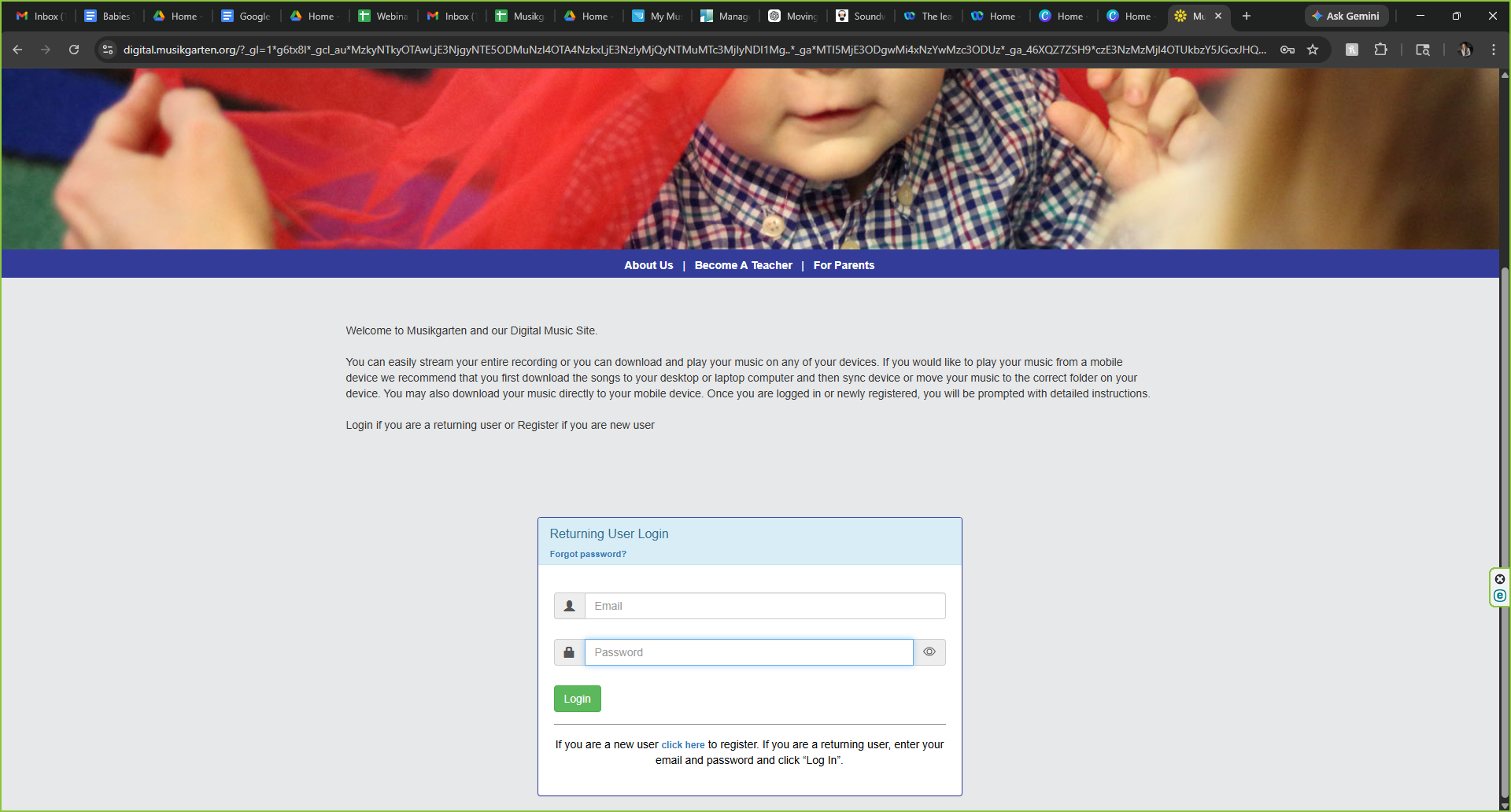
Go to the Digital Music Musikgarten website and log in or register your account. Remember - this is a different part of the website, run by a different company. This requires a new registration; your teacher portal information will not work here.
Step 2
Once you are logged in, type in your album code. This code is normally located in the back of your teaching materials or family materials.
Step 3
Locate the curriculum or music collection you purchased.
Step 4
Click the download link and save the files to your computer, tablet, or preferred device.
Step 5
Create a folder on your device to organize your music by class or semester, or move the files to your iTunes, or any place you listen to music.
Step 6
Test your music before class to make sure it plays properly through your speaker or audio system.
Step 7
Set up your device in a convenient location so you can easily start or pause the music during class. This is similar to what you would do with a CD player. But the song titles will be easier to see.
Can I make playlists for my classes?
Yes. Many teachers create playlists so the music plays in the exact order they need during class.
This allows you to:
• move quickly between songs
• avoid searching for tracks during class
• keep the flow of your lesson smooth
What if I’m not comfortable with technology?
You are not alone. Many teachers are learning new systems as technology changes.
We encourage teachers to take a little time to set up their music before class. After the initial setup, most teachers find the system very manageable.
We will also continue working on better and more user-friendly ways to access Musikgarten music.
Will Musikgarten offer better digital options in the future?
Yes.
Improving access to our music is an important priority as we modernize the company. We are actively exploring more streamlined and user-friendly options for teachers and families.
Our goal is to make accessing Musikgarten music easier, more flexible, and better suited to today’s classrooms.
Thank you for growing with us
We deeply value our longtime teachers and the dedication you bring to children and families every week. As Musikgarten moves forward, we are committed to supporting you while also preparing the company for the next generation of teachers and students.